For group commissioners
Run your group's golf without the group text
You publish the tee times. Your players claim their spots, the foursomes fill themselves, the weather shows up automatically, and the pot settles itself after the round. You stay the commissioner — without being the secretary.
Why commissioners switch to Ranch Golf Groups
Recurring tee sheets
Set up Saturday morning skins once and every upcoming week generates itself. Standard tee times or shotgun starts (6A / 6B) both work.
Players sign themselves up
No more counting heads in a group text. Members tap “I can play,” the slots fill, and overflow rolls onto an automatic waitlist.
The game runs itself
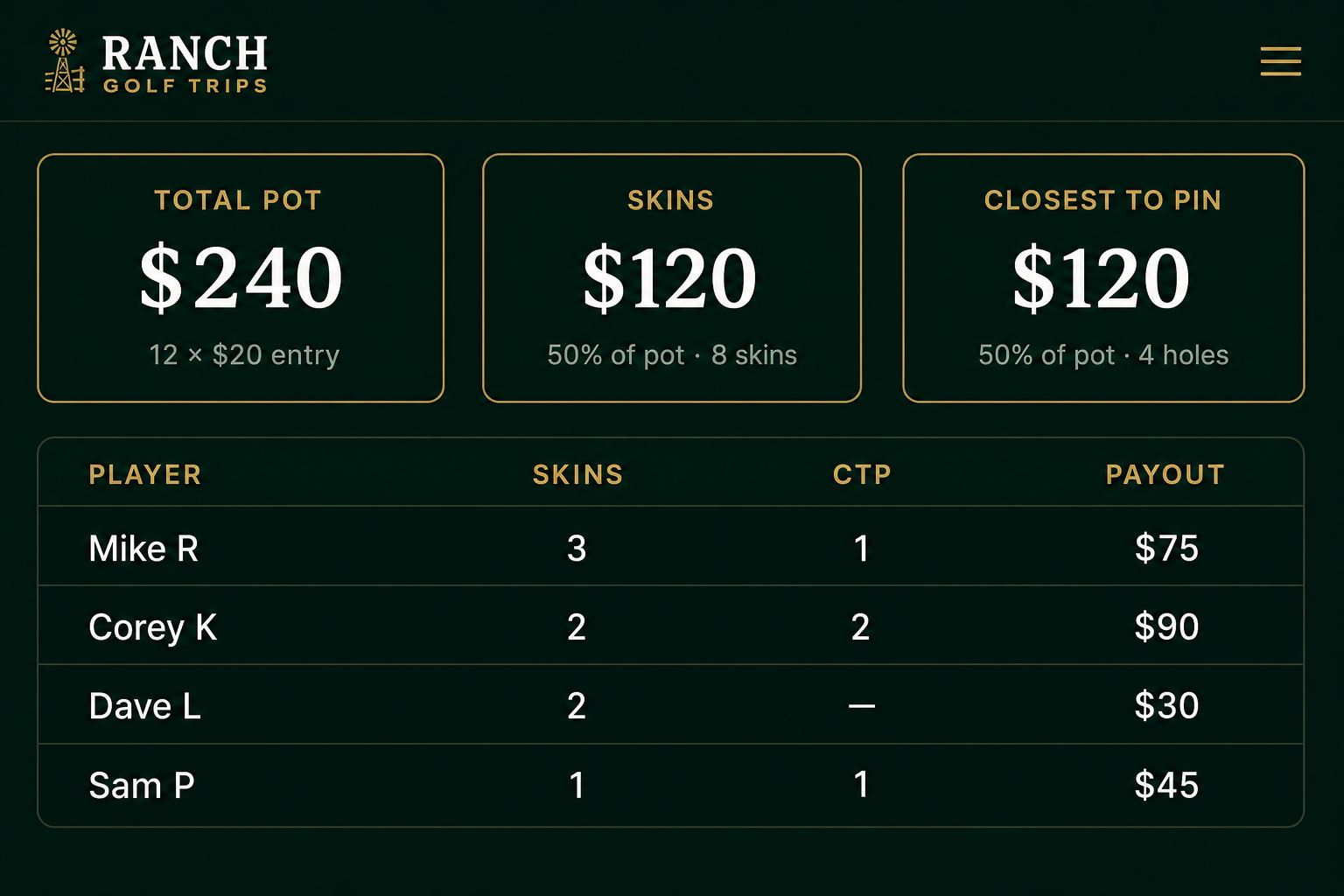
Quota, gross/net, skins, and closest-to-the-pin are built in. Set an entry fee and the pot, skins splits, and payouts calculate for you.
Automated reminders
An eve-of reminder goes to everyone signed up and a night-of summary with scores and payouts goes to everyone who played — at 6 PM in your group's time zone.
Day commissioners & admins
Hand off a single round to a day commissioner plus admins so you're not the only one who can make changes on the course.
Live weather playability
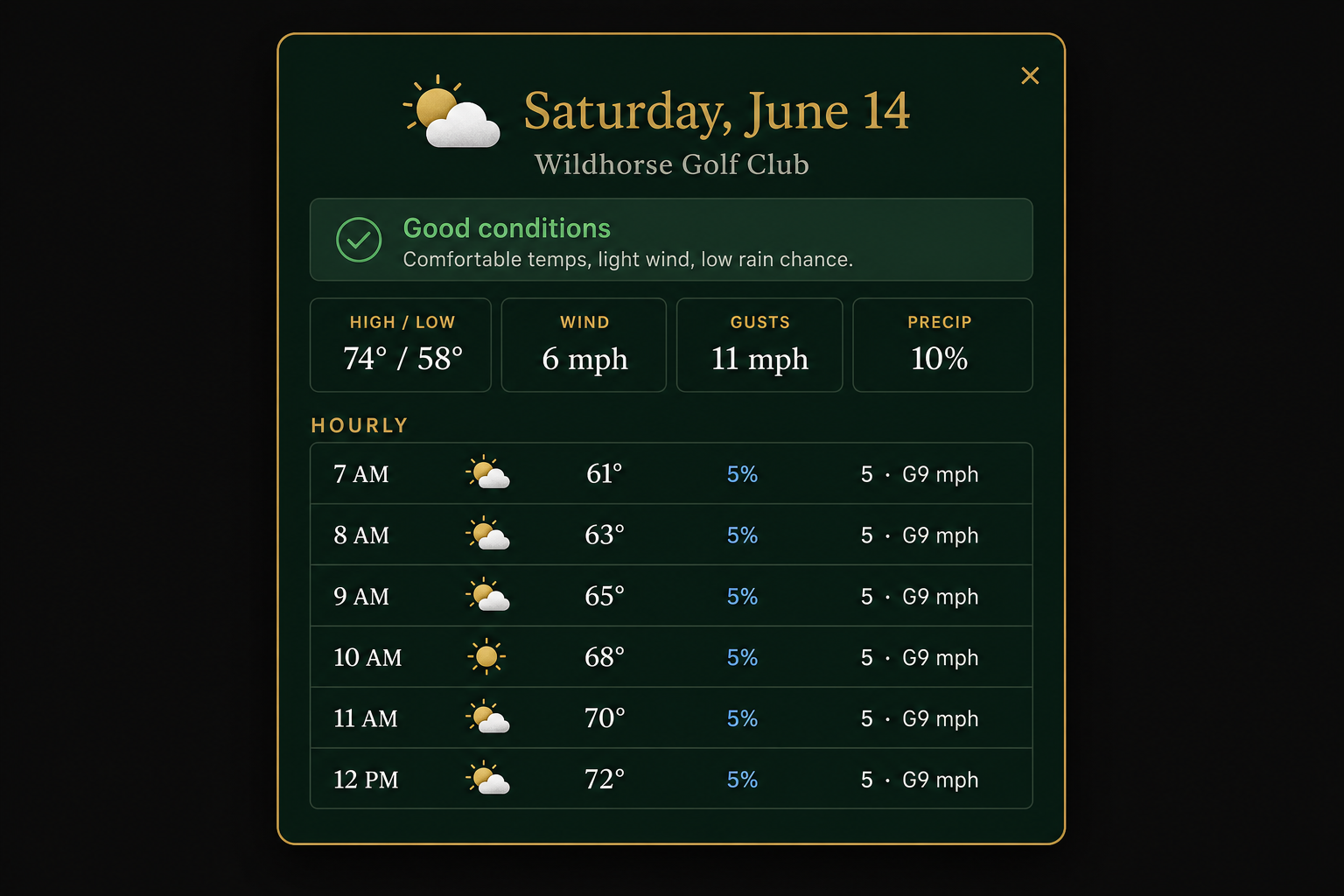
Every tee time is color-coded green / yellow / red for golf conditions, with an hour-by-hour forecast for the course's location.
The weekly tee time shouldn't be this hard
If you run your group's golf, you know the drill: a 40-message group text, a spreadsheet nobody updates, guessing who's actually showing up, and chasing down who owes what after skins. Ranch Golf Groups turns all of it into one clean tee sheet your players manage themselves.
- Before
“Who's in for Saturday?” × 30 texts
- Before
A pairings sheet you rebuild every week
- Before
Doing skins math in the parking lot
- Before
Reminding the same guys every single time
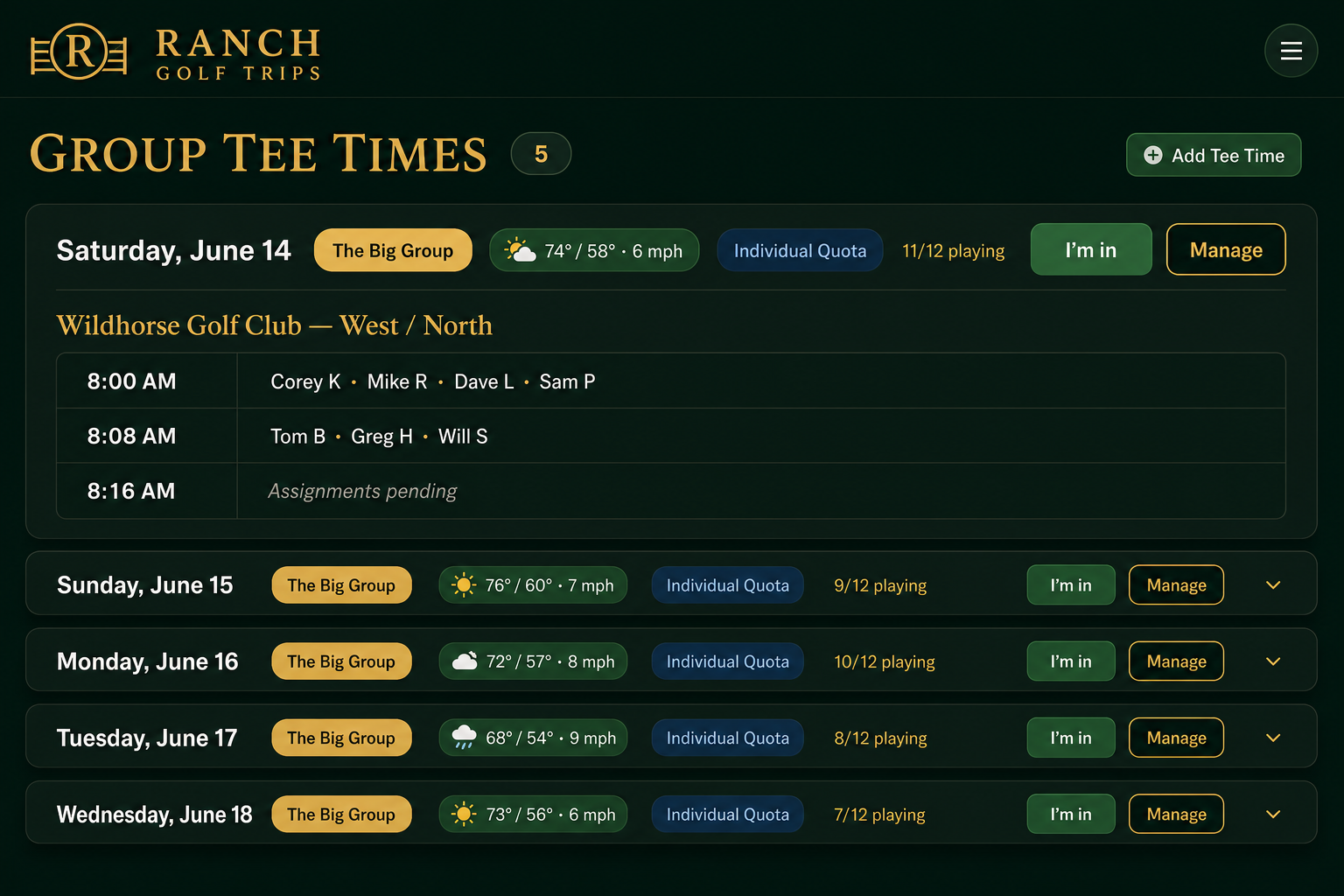
One tee sheet your whole group lives on
Every player sees the same upcoming tee times — across every group they belong to — with the course, the game, the weather, and who's already in.
How it works for commissioners
- 1
Create your group
Spin up a group in under a minute and invite players with a single share link. You're the commissioner — you decide who's in.
- 2
Publish your tee times
Add a weekly recurring tee sheet or a one-off round. Standard tee times or shotgun starts (6A / 6B) — both are supported.
- 3
Players claim their spots
Members tap “I can play” from their dashboard. The foursomes fill themselves, and overflow drops onto an automatic waitlist.
- 4
Set the game & the pot
Pick the format — quota, gross/net, skins, closest-to-the-pin — set the entry fee, and the pot calculates as players sign up.
- 5
Assign pairings & day roles
Drag players into slots, add guests who aren't members yet, and name a day commissioner plus admins to help run things.
- 6
Post scores — payouts settle themselves
Enter gross scores; skins, CTP, quotas, and payouts compute automatically. A night-of summary email goes out to everyone who played.
Know the conditions before you commit
Every tee time pulls a live forecast for the course's location and color-codes the day for playability — green for good, yellow for marginal, red for rough. Tap it for an hour-by-hour breakdown so nobody's surprised at the first tee.
Run the game. Skip the math.
Quota, gross/net, skins, and closest-to-the-pin are built in. Set an entry fee and the pot grows as players sign up. Enter gross scores and Ranch Golf Groups splits the pot, counts the skins, and tells every player exactly what they won.
Run your group like a pro shop
Creating a group is free and takes about a minute. Publish your first tee time today and let your players do the rest.
No app to install · Players join with one link